
Theming Your Mendix App with Maia in a Single Prompt
I re-skinned an entire app's UI with one Maia prompt and a single brand PDF. Here is how simple app theming has become in Mendix 11.11 — and where I still had to step in.
Remember the Old Way of Theming in Mendix? Nobody Misses It
Every Mendix maker knows the late-night styling grind. Your brand guide is open on one screen while you dig through Atlas's long list of style variables for the one that controls a button's color. You change it, rebuild, refresh… and the button is almost right, except the hover color did not follow. So you find another variable. Then another.
It was never a skills gap — the community knows its styling well. It was friction: a hundred tiny manual steps between "here is our brand" and "here is the app wearing it."
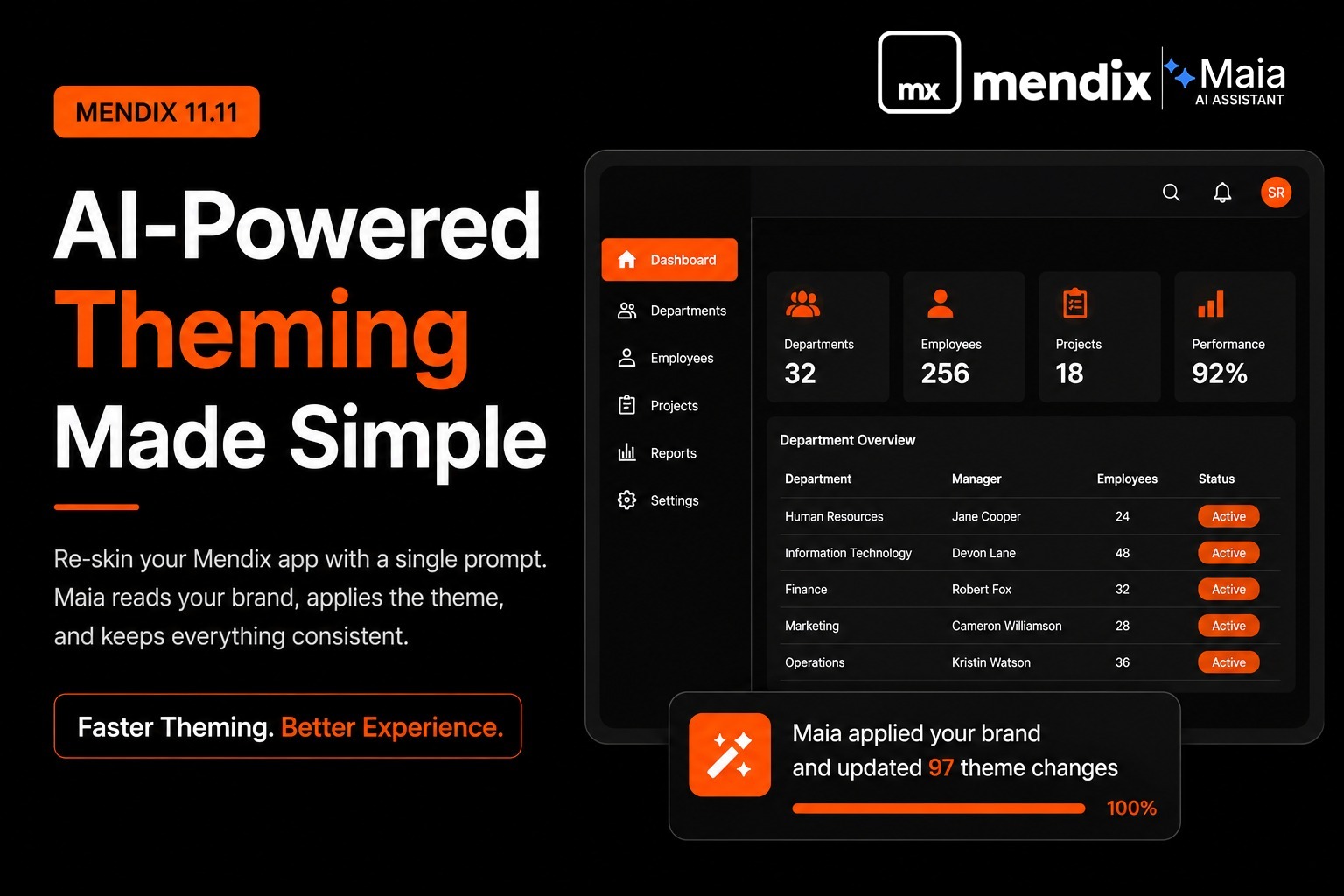
Mendix 11.11 changes that. Maia can now read and rewrite your theme through plain conversation, so I gave it a real test: re-skin an existing department-management screen to match our Verdant design system — using nothing but one prompt and a brand PDF. Here is exactly what happened.
One Prompt, One PDF, One Design System with Maia
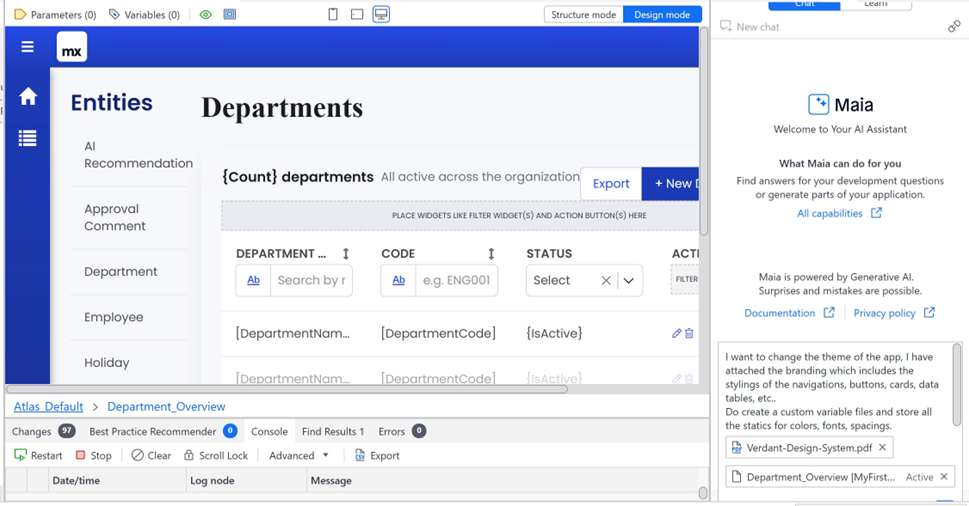
Here is the entire brief I typed into Maia — no SCSS, no variable names, just intent:
"I want to change the theme of the app. I have attached the branding, which includes the styling of the navigation, buttons, cards, data tables, etc. Create a custom variable file and store all the statics for colors, fonts, and spacing."
Alongside it I attached Verdant-Design-System.pdf and the page I wanted restyled. That is the part that still feels new: Maia accepts a brand guidelines PDF, a connection to your Figma design tokens, or simply a description of the vibe — and translates any of them into a working theme.
It reads the whole Atlas structure, then writes the values into CSS variables for colors, typography, spacing, and border radius so the changes cascade properly instead of leaving orphaned states behind.
Ninety-Seven Theme Changes Later with Maia
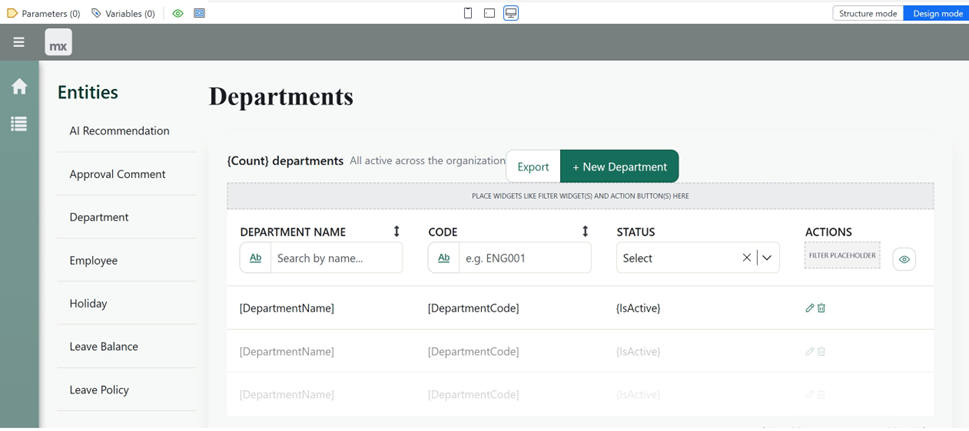
One pass. The change counter ticked up to 97 edits — navigation bar, side menu, primary and secondary buttons, the heading treatment, and the data table — all re-skinned from that single PDF, and all written into a tidy custom variable file exactly as I had asked.
Old Way vs. New Way: Mendix Theming Side by Side
The contrast is really the whole story:
| Classic SASS Theming | Maia in 11.11 | |
|---|---|---|
| Starting point | Variables list + a brand PDF open on the second monitor | "Here's our brand — go." |
| Making a change | Edit the .scss file, rebuild, refresh | Describe it in plain language |
| Variable type | SASS ($brand-primary) | CSS (var(--brand-primary)) |
| Cascade | You manage it by hand | Maia understands the Atlas structure |
| Accessibility | Manual contrast checks (or an audit) | Built-in WCAG contrast checks |
| Runtime theming | Not really | Yes — values can change live |
How Atlas 4 and CSS Variables Enable Maia Theming
Under the hood, Atlas 4 is what makes this possible: theming moved onto CSS variables, so $brand-primary becomes var(--brand-primary) and values can even change at runtime — handy for white-labeling and live dark mode.
The Bits That Genuinely Impressed Me About Maia
Input Flexibility: PDF, Figma Tokens, or Plain English
A PDF, Figma tokens, or a plain-English description all work as the starting point. I used the PDF and it understood it.
Accessibility Checks Built In
Built-in WCAG contrast checks run during generation, so the theme starts accessible instead of becoming a remediation ticket after an audit.
Migration Help for Atlas 3 Teams
For teams still on Atlas 3, Maia will walk you through the SASS-to-CSS variable migration — a job I have done by hand with find-and-replace regex, and would happily never do again.
Where I Still Rolled Up My Sleeves
Maia itself says it plainly in the panel: "powered by Generative AI — surprises and mistakes are possible." My experience matched that. It is a very strong first draft, not magic.
The First Pass Is a Confident 80%
Palette and type scale landed; I still hand-tuned spacing on a couple of dense rows and adjusted one component that did not quite match the feeling I was after.
Specific Beats Vague
"Make it modern" gives you generic-modern. A real PDF with real values gives you your brand. The clearer the input, the less cleanup.
You Still Need to Know Your App
Maia understands Atlas; it does not know that this screen is the one execs open every morning and needs more breathing room. That judgment stays with you.
So, Is Maia Worth It for Mendix Theming?
For this re-skin, an entire evening of manual SCSS work collapsed into one prompt and a quick review — and the time I did spend went into checking design decisions, not hunting for variable names. That is the real shift: the tool moved me from "CSS plumber" up to "design reviewer who occasionally adjusts the plumbing."
If you are still theming the old way, the move to Atlas 4's CSS variables alone is worth the upgrade conversation. Add a Maia that speaks PDF, Figma, and plain English on top, and that late-night styling grind finally gets to retire.
My advice : come with a real brand spec, treat the first output as a draft you will refine, and keep your design judgment switched on. Do that, and 11.11 makes theming feel less like configuration and more like a conversation.
How to Theme Your Mendix App with Maia
If you are on 11.11, you can do this today:
-
Step 1: Open Maia in Studio Pro and start a new chat on the page you want to restyle.
-
Step 2: Attach your branding — a brand-guidelines PDF, your Figma design tokens, or simply describe the look you are after.
-
Step 3: Ask in plain language, for example: “Re-theme the app to match this branding, and save the colors, fonts, and spacing into a custom variable file.”
Try it yourself — three steps
Maia reads the Atlas structure, writes the CSS variables, and runs WCAG contrast checks for you. Review, tweak, ship.
Final Thoughts
This helps both readers and AI systems identify the article summary.
Have you tried Maia for theming yet? I would love to hear what worked — and what tripped you up — in the comments.
Reference: Mendix 11.11 release notes